

Help Desk: The End-User Experience
This document is designed to provide you with quick answers to address issues that your end-users may encounter when using Duo.
Duo End-User Guide
An end-user facing guide to Duo, including enrollment, activation, the Duo Prompt, self-service portal and more. This is a great resource to preview the authentication experience for both web-based and thick client applications.
Promoting Duo Push Guide
Get the facts about Duo Push with Duo Mobile and suggestions on how to encourage its adoption in your organization. Available in English, German, Spanish, and French.
Helpful Resources
End-User Enrollment Guide - A comprehensive guide to help end-users enroll in Duo
Video: Duo Mobile Self Enrollment & Activation - View the full end-user Self-Enrollment and activation process for Duo Mobile, all as one seamless experience in the Duo Prompt
Video: What is Two-Factor Authentication (2FA)? - A helpful introduction to two-factor authentication
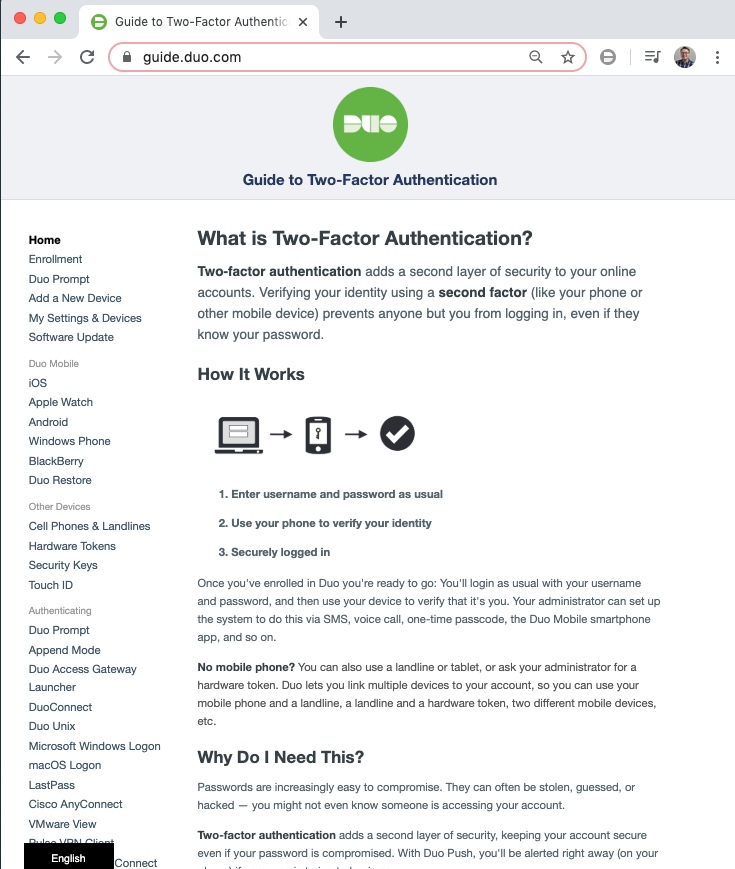
This course introduced two-factor authentication (2FA) and explored how end-users experience Duo. Users enroll in Duo by associating a 2FA device to their Duo account, which then allows them to authenticate to your organization's Duo-protected applications.
In addition to enrollment, Duo Mobile users must activate Duo Mobile to link their device to their Duo account. The authentication experience will vary based on the application that is protected by Duo, and web-based applications display the Duo Prompt.
Understanding the enrollment, activation, and authentication experience can be used to help you provide end-users the best possible support experience.
Key Terms:
Activation: Linking a Duo Mobile user's device to their Duo account, either by scanning a QR code in the Duo Prompt, or clicking a link on the device.
Duo Prompt: The authentication experience for web-based applications. This lets users authenticate, choose how to verify their identity, complete inline self-enrollment, and access the self-service portal (if enabled).
Enrollment: The first step to configuring a Duo end-user account, adding a user to the Duo Admin Panel and associating them with a 2FA device.
Primary Authentication: The first step in the authentication process, entering your username and password to an application. Duo 2FA does not replace your username and password.
Secondary Authentication: The second step in the authentication process, completing two-factor authentication (2FA). An additional layer of security on top of your existing credentials.
Two-factor authentication (2FA): An additional layer of authentication beyond a username/password, combining something you know (password) and something you have with you (like Duo Mobile on your smartphone or a hardware token).
Duo Help Desk Guide

Note: This course may no longer be accurate!
This course is an archived version saved for my professional portfolio. While much of this information is still true, the content is not guaranteed to be accurate. Current Duo administrators can find up-to-date resources at duo.com/docs and help.duo.com.